
With these 6 segments you get great opportunities to work strategically with optimizing your email database and your results.

30. juni 2024
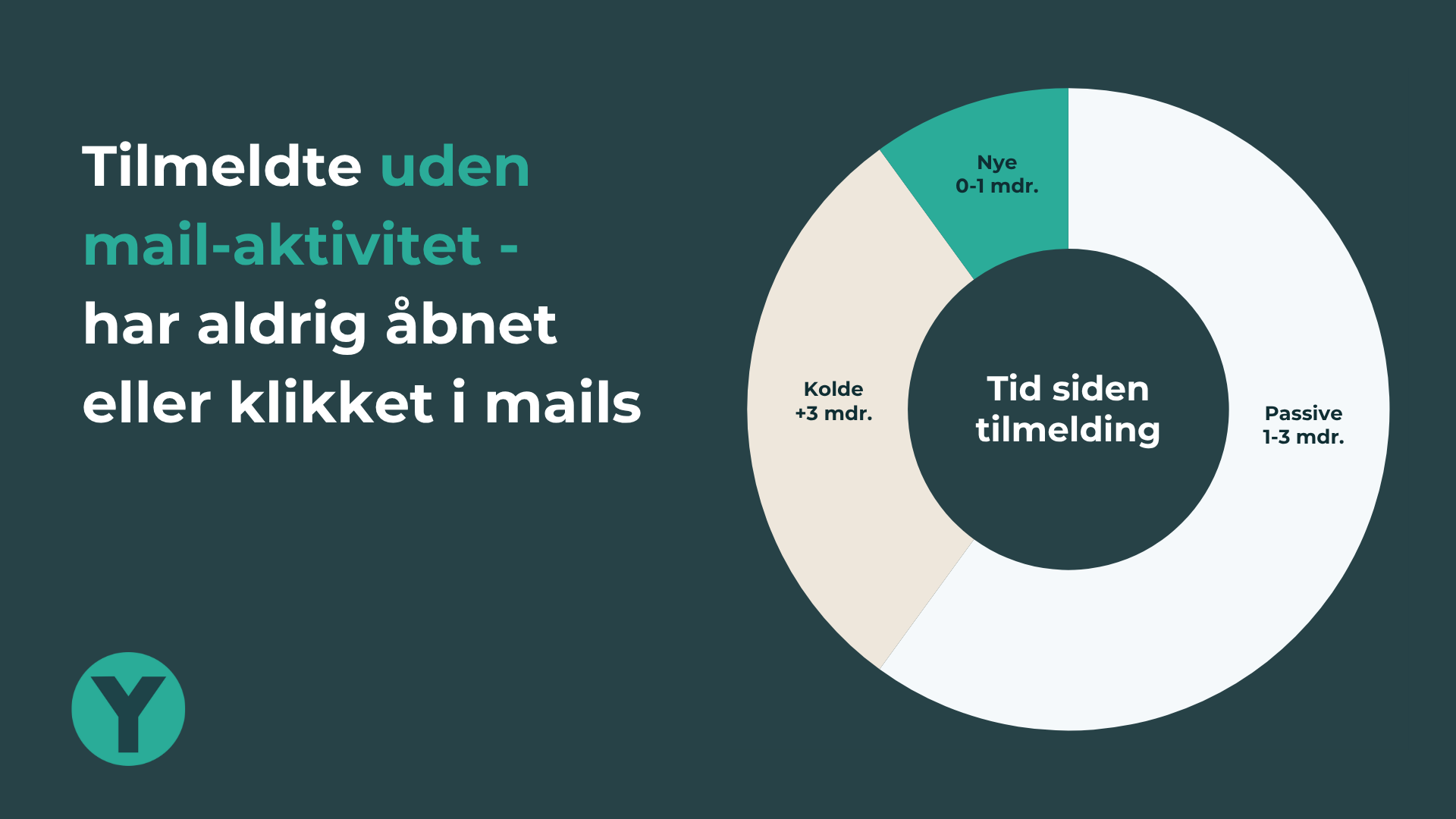
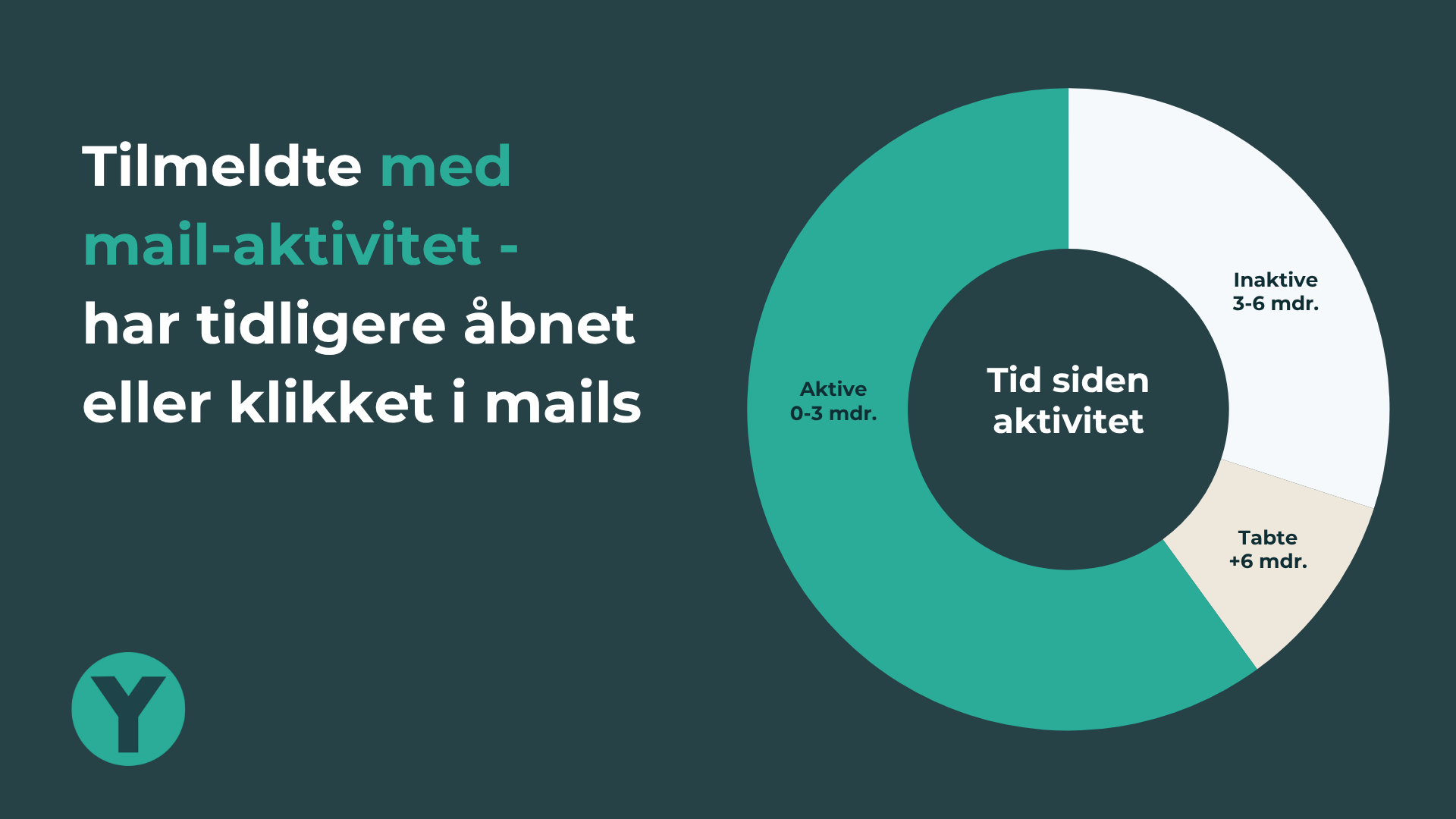
The 6 simple segments divide your entire database of subscribers into two main groups, each with 3 segments. You can adjust the time periods in each segment yourself, so they fit your company and your sending pattern.
Below is a breakdown used by several of our customers who send multiple mails a week:
Subscribers who have never opened or clicked in your mails
Subscribers who have opened or clicked in your mails at least once
NOTE! When you count opens as a sign of activity, your segments give a more positive picture than reality. That is because some mails are registered as opened without the recipient actually having opened them. The number and percentage of recipients with no response is therefore certainly higher than the figures you see. Most of our customers still look at opens anyway, but simply stay aware that the figures are not precise.
How do the percentages look in your company's email database?
The figures can vary enormously from company to company, and depend particularly on:
The figures in the visualisation above are a reasonable estimate of how things might look if you have a large database (100,000+) built up over many years, where the annual intake of new subscribers is 15–25%, and where there are effective processes for cleaning the database on an ongoing basis.
All 6 segments are well worth paying attention to, but the "Passive" and "Inactive" segments in particular are important to monitor and act on:
Passive: New subscribers from 1–3 months ago who have not yet responded to your mails.
This share should be very low, otherwise you are wasting your resources recruiting new subscribers who turn out not to be interested in what you send them.
The welcome flow is your most important tool for keeping the number in this segment to an absolute minimum.
If you cannot get brand new subscribers to respond to your first mails, then either they are the wrong subscribers or it is the wrong content you are sending them!
Inactive: Subscribers who have responded to your mails in the past, but where it is now 3–6 months since they last did.
This segment appears to have lost interest in what you send, and if you do not rekindle that interest you will lose them entirely over the coming months.
If you do not activate them, they will either unsubscribe themselves or more or less automatically delete your mails.
The longer it goes without activity, the smaller your chance of reactivating them. So you should experiment with different attempts to activate this group as quickly as possible.
If the share in this group is too high, the share in your group of entirely lost subscribers will end up too high as well.
There are of course many other relevant segments (especially if you sell online), but in relation to the important focus of having active, engaged email recipients, these 6 segments are genuinely useful.
Have a look at our blog post with 3 tips for optimising the value of your email database.
And the post on when (and why) you should delete inactive recipients.